
Register on Udyam yourself, completely FREE
Give your dream business its government identity: no agent, no fees, about 10 minutes.
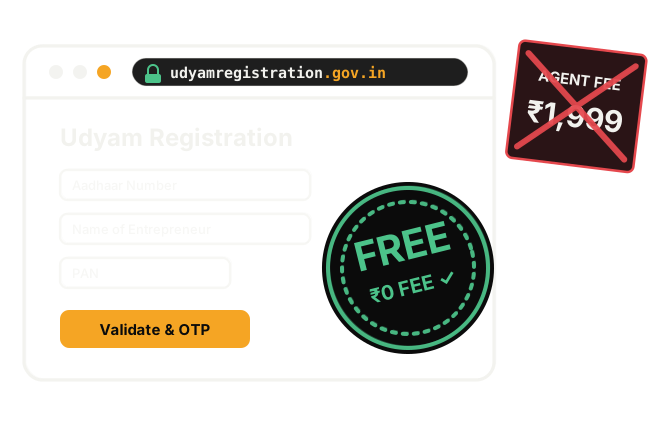
Agent asking ₹1,999? The portal charges ₹0.
₹0
No fee at all
0 papers
Nothing to upload
.gov.in
One official site
In the government's own words
6 things an agent won't tell you
All quoted from the official portal. The numbered sources are below.
₹0
The government portal says:
“Registration Process is totally free. No Costs or Fees are to be paid to anyone.” [1]
✓No fee
“There will be no fee for filing Udyam Registration.” [2]
✓No documents to upload
“No documents or proof are required to be uploaded…” [1]
✓Fully online, self-declaration
“fully online, paperless and based on self-declaration.” [1]
✓No renewal
“There will be no need for renewal of Registration.” [1]
✓Certificate issued online
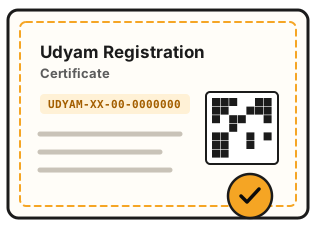
An e-certificate, the “Udyam Registration Certificate”, with a dynamic QR code [1][2]
✕Other websites are not official
“No other website/portal/app is official.” · “Beware of Fake Sites.” [1]
The portal itself warns “Beware of Fake Sites.” [1] Check the address bar before you fill in anything.
Before you start
Keep these ready
about 10 minutes! Field numbers match the portal’s own sample form. [4]

Aadhaar number and name as on Aadhaar
Plus the phone that gets the OTP. The proprietor’s; for a partnership the managing partner’s, for an HUF the karta’s. [2]
Fields 1–2
PAN: name and date of birth as on it
Company, LLP, co-op, society, trust: the organisation’s PAN + GSTIN. [2]
Field 4.1

Did you file last year's ITR?
Just answer Yes or No.
Field 4.2
Investment and turnover
Figures linked to your PAN/GST come from government databases automatically. [1]
Fields 5–6
Business name, mobile, email
Use ones you keep: you need them to get the certificate again.
Fields 8–10
Office and shop/unit address
Both in full, with PIN and district.
Fields 14–15
When the business started
Registration date and the date work began.
Field 17
Bank details
Bank name, IFS code, account number.
Field 18
What you do
Manufacturing or Services, and an NIC code (found by search).
Fields 19–20
How many people work there
Male / female / others, separately.
Field 21Tip
Write all of this on one sheet first. Then the form takes one sitting.
Step by step
How to fill in the form
Open the right website
Aadhaar Verification
PAN Verification
Basic details and address
Business details
- 16 old EM-II/UAM (or N/A) · 17 dates · 18 bank
- 19 Manufacturing/Services · 20 NIC code, Add Activity
- 21 people employed, then the child-labour declaration · 22–27 GeM, TReDS, NCS, NSIC B2B, Skill India: Yes/No, your choice [4]
After registering
Getting your certificate again
On the portal, “Print Udyam Certificate” → “Udyami Login”. It asks for: [3]

Next step: take your shop online
Websites from ₹5,000, orders on WhatsApp, and a security check. Message us on WhatsApp and talk to a person.
Follow for more free guides like this
@apna.businesswala@apna.websitewala · by @insaf.builds
Sources (all udyamregistration.gov.in, read 21 Nov 2026)
- [1] Homepage: https://udyamregistration.gov.in/
- [2] Important / Must follow: https://udyamregistration.gov.in/Important.aspx
- [3] Udyami Login (print certificate): https://udyamregistration.gov.in/Udyam_Login.aspx
- [4] Sample form (field numbers): https://udyamregistration.gov.in/docs/UdyamApplication.pdf
This guide is for information; it is not a government document. The portal's screens can change; the official portal is always the final word.